
August is here, and so are our latest SmartAccounts updates. Here’s what’s new
- New default SmartAccounts document templates
- Clients and vendors: default accounts
- Periodic allocation and objects
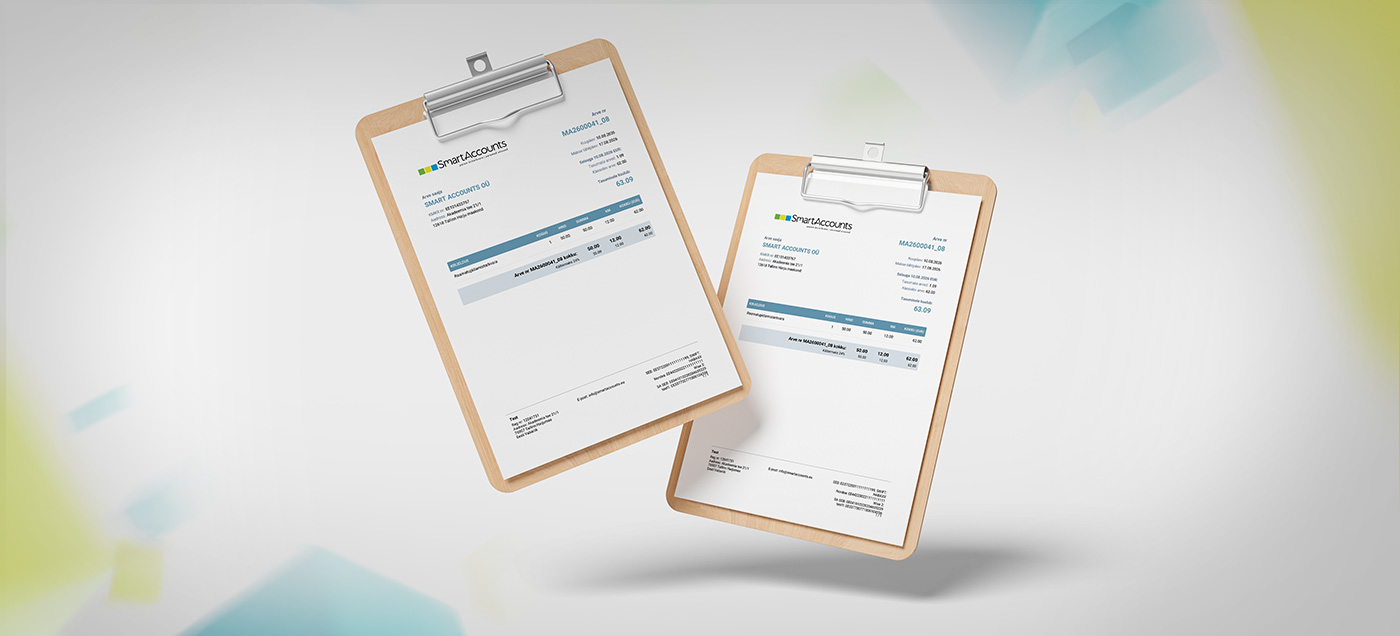
New-look SmartAccounts document templates
SmartAccounts now includes new default document templates in Estonian, English and Russian.
Compared with the previous default invoice templates, the new templates feature a more modern design and offer more options for customising the appearance of your invoices.
For example, you can now easily display the client’s registration number and customise text and background colours directly in the template settings. This means you no longer need to create an entirely new document template just to make a small colour change.
Switching to the new templates
This change mainly affects companies that were created before the update.
Companies created after the update already have the new templates active by default. Companies created before the update will continue using the old templates, but can switch to the new ones whenever they wish.
To start using the new document templates, activate them and drag them to the top of the document template list.
You can find detailed instructions for switching to the new templates in our guide ->New document templates
Changes to the Template settings page
The Settings – Template settings page has also been updated as part of the document template improvements.
Another useful change is that adjustments made on the Template settings page are now saved automatically.
The only exception is the additional text fields for sales documents, which still need to be saved separately using the button below the text field.
Template order
Document templates appear on documents in the same order as they are listed in the company’s document template list under Settings – Template settings. You can change the order simply by dragging the rows up or down. If your company has several active sales invoice templates, the template that appears higher in the list will be used by default.
Take a look at our guide and try out the new-look invoice templates for yourself.
Clients and vendors: default accounts
We also have great news regarding client and vendor settings. You can now assign a default revenue or expense account to individual clients and vendors.
Setting up a default account is simple. Open the relevant client or vendor card and select:
- a default revenue account for a client
- a default expense account for a vendor
This is particularly useful, for example, when you sell the same item to clients in different countries but want the sales to be recorded under different revenue accounts.
Assigning a default revenue account to the client makes this much easier.
How default accounts work
- If a default account has been assigned to a client or vendor, that account takes priority when creating a document.
- If no default account has been assigned, SmartAccounts uses the account specified on the item card.
- If you change the client or vendor after entering the invoice lines, the new client’s or vendor’s default account will be applied to all invoice lines.
- If you switch to a client or vendor who does not have a default account, the account specified on the item card will be used instead.
- The only exception is when a credit invoice is created from an existing invoice or when a document is copied. In these cases, the account remains unchanged.
Periodic allocation now includes objects
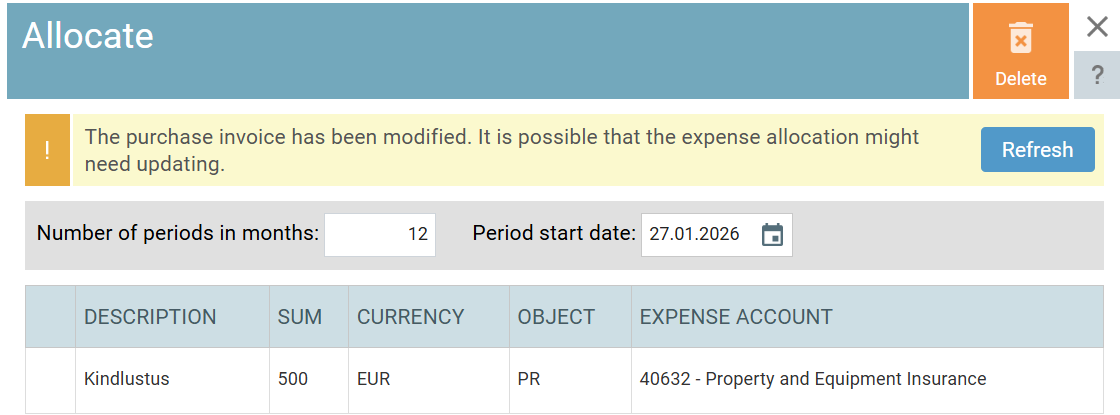
Periodic allocation has also received an update: the object assigned to an invoice line is now included in the related allocation entries.
If you already have allocation entries that were created before this update and would like to add an object to them, open the purchase invoice and add the object to the relevant invoice line.
Then open the allocation and click Refresh to update the allocation entries.
***
If you have any questions or suggestions, feel free to contact us at info@smartaccounts.eu.
Enjoy the rest of your summer!