
Which pricing plan is best for my company?
SmartAccounts offers 3 different pricing options:
There’s no limit to how many users you can add – invite other people at no additional cost.
Pricing is company-based – that means if you own more than one business, a suitable plan must be selected for each company.
A free 30-day trial applies to every new company.
Find a plan that suits your needs:
Starter
The Starter plan is best suited for start-ups and holding companies with fewer monthly transactions.
The plan has no monthly fee, which means you only pay for what you use. Just prepay for entries and use them as needed during an unlimited time.
The Smart Prepaid plan covers accounting essentials.
Pro
The Pro plan is best suited for active businesses who use SmartAccounts every day and wish to integrate their accounting with other software e.g. an online shop, e-invoices, CostPocket, etc.
Pro plan allows unlimited use and has a clear fixed monthly fee with no hidden cost.
The plan covers all the functions, including free API service and free outgoing e-invoices.
To use Pro plan at a discounted price, order a prepayment for 6 months or 12 months:
Bureau
The Bureau plan is best suited for accountants and service providers. With more than 4 companies, contact us for a personal quote.
Change or cancel your plan at any time. To choose or to change a plan, click ‘Settings’ – ‘Billing settings’ in the menu.
Invoice recipients
Enter invoice recipient data under ‘Settings’ – ‘Billing settings’ in the menu.
To assign an already existing invoice recipient to your company:
- Click in the ‘Search’ box next to ‘Choose from my existing invoice recipients’ and choose a suitable match from the drop-down.
To enter a new invoice recipient:
- Click on the link ‘add a new invoice recipient’ and fill in the required data.
Invoice recipient admins
Invoice recipient admins are users who:
- Will see all of the invoice recipient’s invoices
- May change this list of users
- Receive notifications on new and overdue invoices
- May change the invoice recipient’s data or select it for other companies
All users who enter the initial invoice recipient data will automatically be appointed as an invoice recipient admin. Please make sure that all users who need to have invoice recipient admin rights are added to the invoice recipient admin list.

Ordering entries or prepayment invoices
Starter
If you have chosen the Smart Prepaid plan and want to order entries, please click ‘Billing’ in the menu
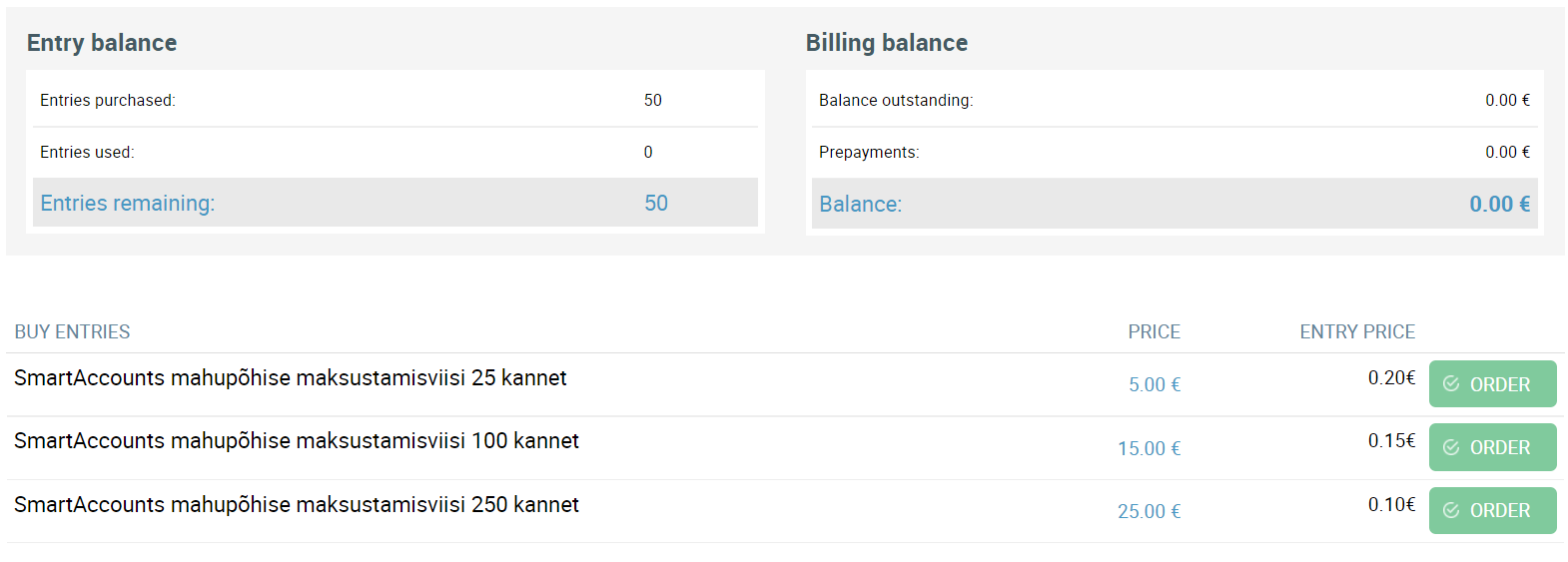
To order a suitable amount of entries, click “Order” -> “Confirm order and create invoice”. You can pay immediately via bank link (Swedbank, SEB, LHV) or by regular money transfer.
Pro
With the Smart Monthly plan, it’s possible to order a 6 or 12 month prepayment invoice instead of a recurring regular monthly invoice. To order a prepayment invoice, click ‘Billing’ in the menu.
 Choose a period that suits you and click “Order” -> “Confirm order and create invoice”. You can pay immediately via bank link (Swedbank, SEB, LHV) or by regular money transfer.